DocuField Restoration
Run every water, fire and mold job, from the loss call to the carrier's report.
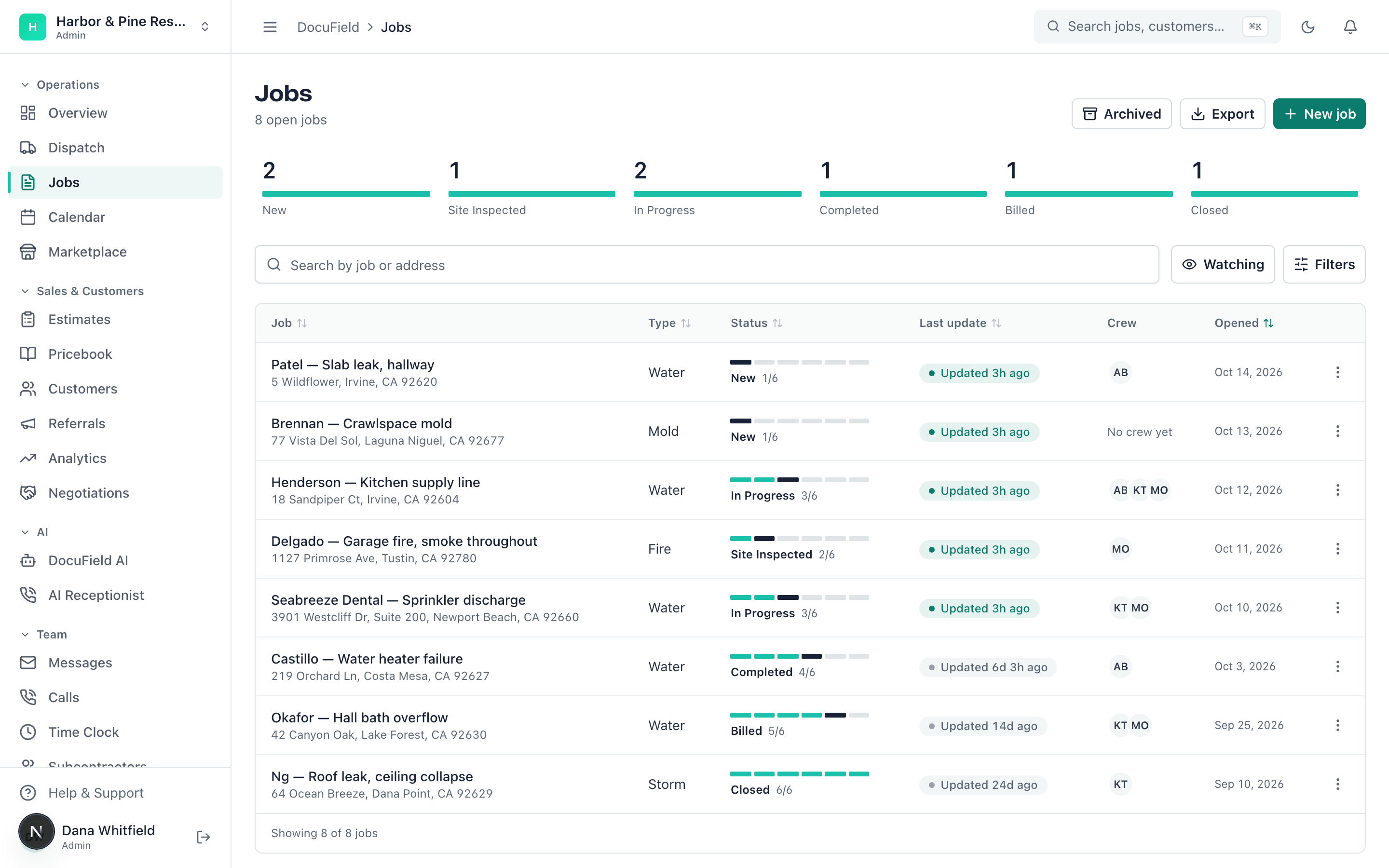
Claims and adjusters, LiDAR floor plans, drying logs, contents, the report, the estimate and the invoice — in one app your office and your crews share.
Our team sets up your account and moves your data over, free. Rather talk now? Call (949) 558-7312.


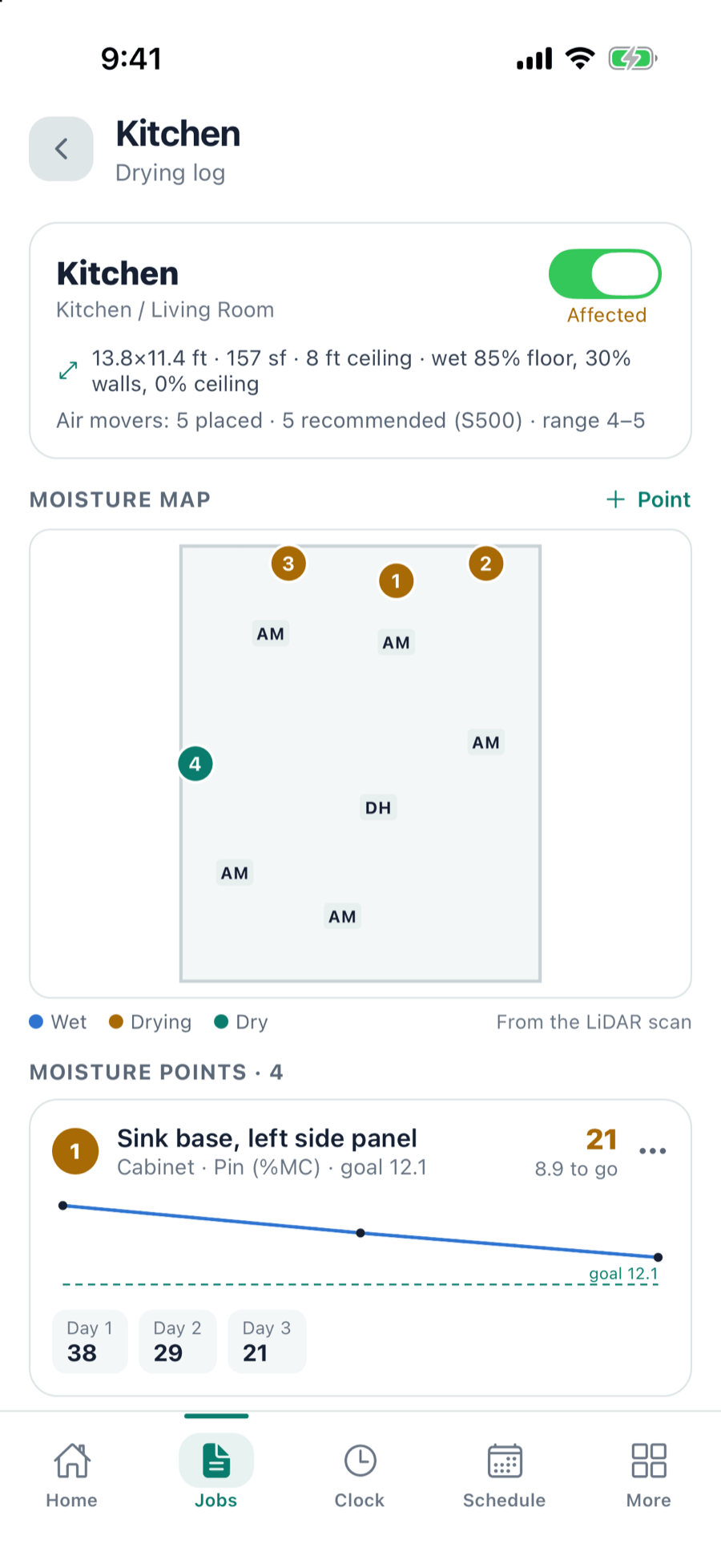
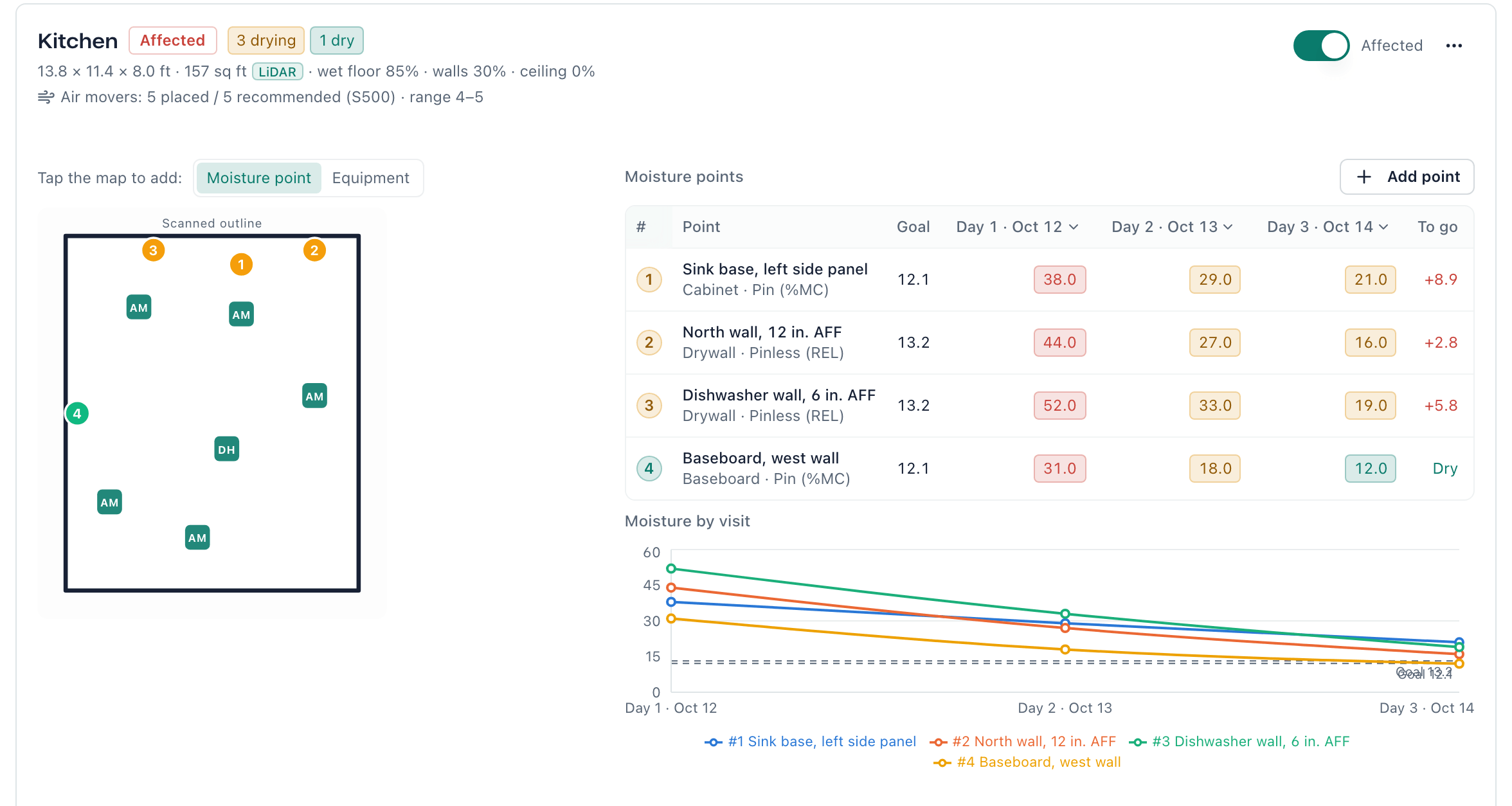
Drying logDaily readings and a moisture map for every affected room, checked against the S500 goal. 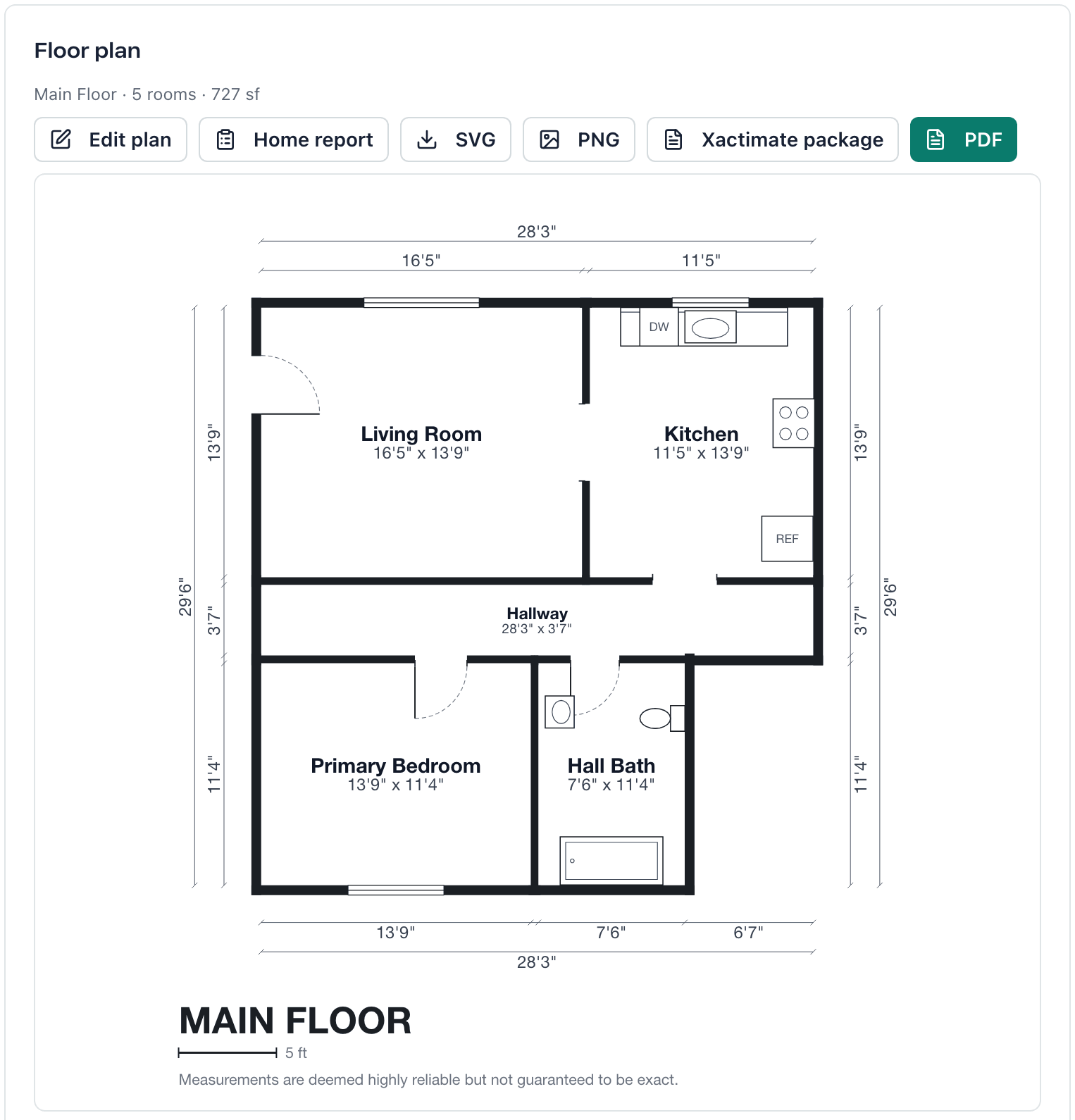
LiDAR floor planRooms, doors, windows and dimensions from one phone scan, with the Xactimate package one click away. 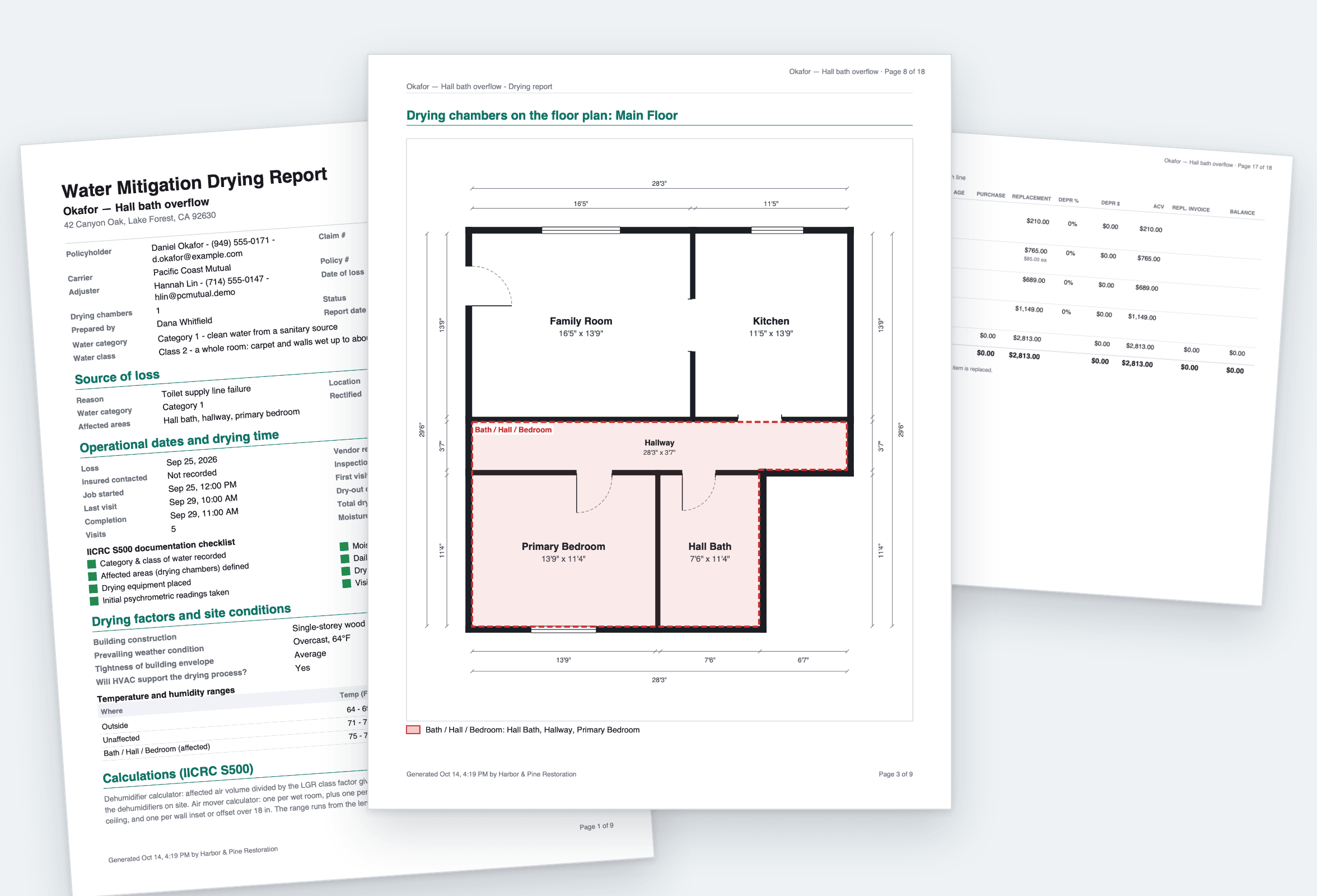
The carrier reportThe drying report, floor plan, schedule of loss and signed documents in one branded PDF. 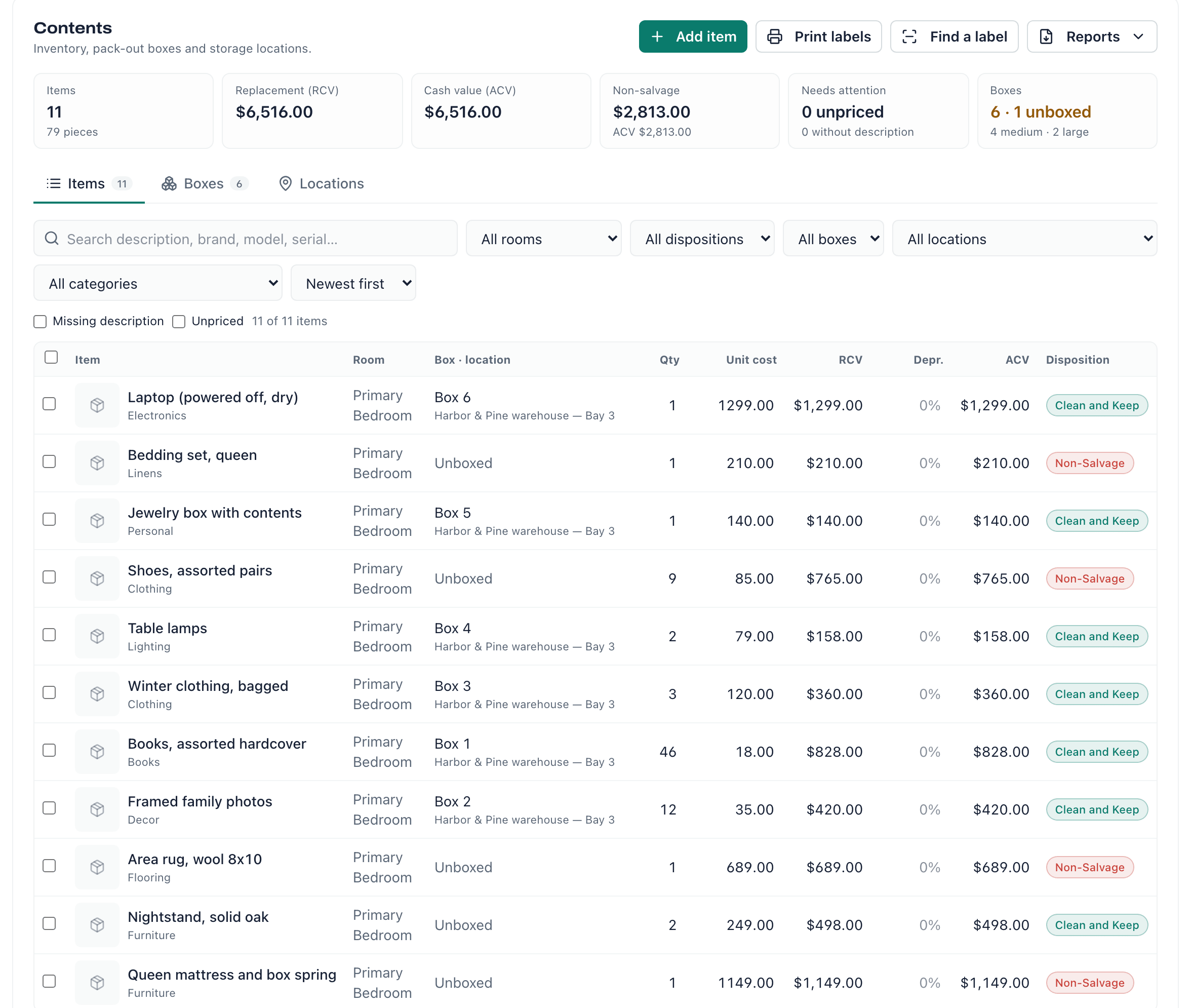
Contents and pack-outEvery item valued, boxed and located, from the house to the warehouse and back.
How a loss moves
One job record follows the loss the whole way, so the office, the crew, the homeowner and the adjuster are looking at the same thing.
Take the loss
Claim number, carrier, adjuster and date of loss go on the job when it’s created. The homeowner can sign the work authorization from their own phone.
Inspect and scan
Scan each room with a LiDAR iPhone or iPad Pro and get a floor plan with dimensions. Photos, 360° photos and notes are filed room by room.
Dry it
Drying logs follow S500: daily moisture readings, moisture maps and equipment, room by room, on the phone or iPad, with or without signal.
Document contents
Pack-out with box labels you can scan, so every item is accounted for from the house to storage and back.
Report and get paid
One branded report for the carrier: photos, the drying report, the schedule of loss and signed documents. Then the estimate, supplements and the invoice.
Switching from Encircle?
Keep the field documentation your carriers expect, and run the rest of the business in the same app — so a job is never split across three systems.
What you keep
- Photos and 360° photos, filed room by room
- LiDAR floor plans
- Drying logs and moisture readings
- Contents and pack-out
- A branded report for the carrier
What you add, in the same app
- Scheduling, dispatch and the crew’s calendar
- Estimates, supplements and negotiations
- Invoices, card payments and QuickBooks
- E-signatures and a customer portal
- Workflows that start themselves by type of loss
One price for the whole company
Not per user. Every technician, project manager, dispatcher and office user is included, so adding a tech never raises your bill.
Also included
- Unlimited users
- iOS & Android apps
- Dispatch, scheduling & time clock
- Estimates, invoices & payments (Stripe, Affirm)
- E-signatures with OTP + audit trail
- Workflows, checklists & form templates
- Customer portal, QuickBooks & DocuField AI
DocuField Restoration
$300/month per company
- Claims, adjusters and insurance details on every job
- Water mitigation drying logs (S500)
- LiDAR floor plans, 3D walkthroughs and Xactimate packages
- Contents, pack-out and QR labels
- Negotiations, supplements and Scope AI
- Pricebooks for every trade
Several locations or a franchise group? Talk to us about Enterprise.
Questions owners ask
Does it work with Xactimate?
Every scanned job gets an Xactimate package: plan pages, room calculations, openings and fixed features, so your estimator can build the sketch in Xactimate in minutes instead of measuring again. Sending sketches straight into Xactimate isn’t available yet.
What if there’s no signal on site?
The crew app keeps working. Photos, readings and notes are saved on the device and upload when the connection comes back.
Does it run on an iPad?
Yes — a full iPad app, not a stretched phone app. LiDAR floor plans need an iPhone Pro or iPad Pro with LiDAR; everything else works on any iPhone, iPad or Android phone.
Will you move our data over?
Yes, free. Our team sets up your account, your status flow and your forms, and moves your customers and jobs over.
How is it priced?
One price per company. Every technician, project manager and office user is included, so adding a tech never raises your bill.
Is there a contract?
No. You’re billed month to month. Cancel from your billing page and you keep access until the end of the month you’ve paid for.